1. Using Webmoney
When making a payment, select Webmoney, then choose WMZ or WMT. After submitting the order.

We will see the Webmoney interface
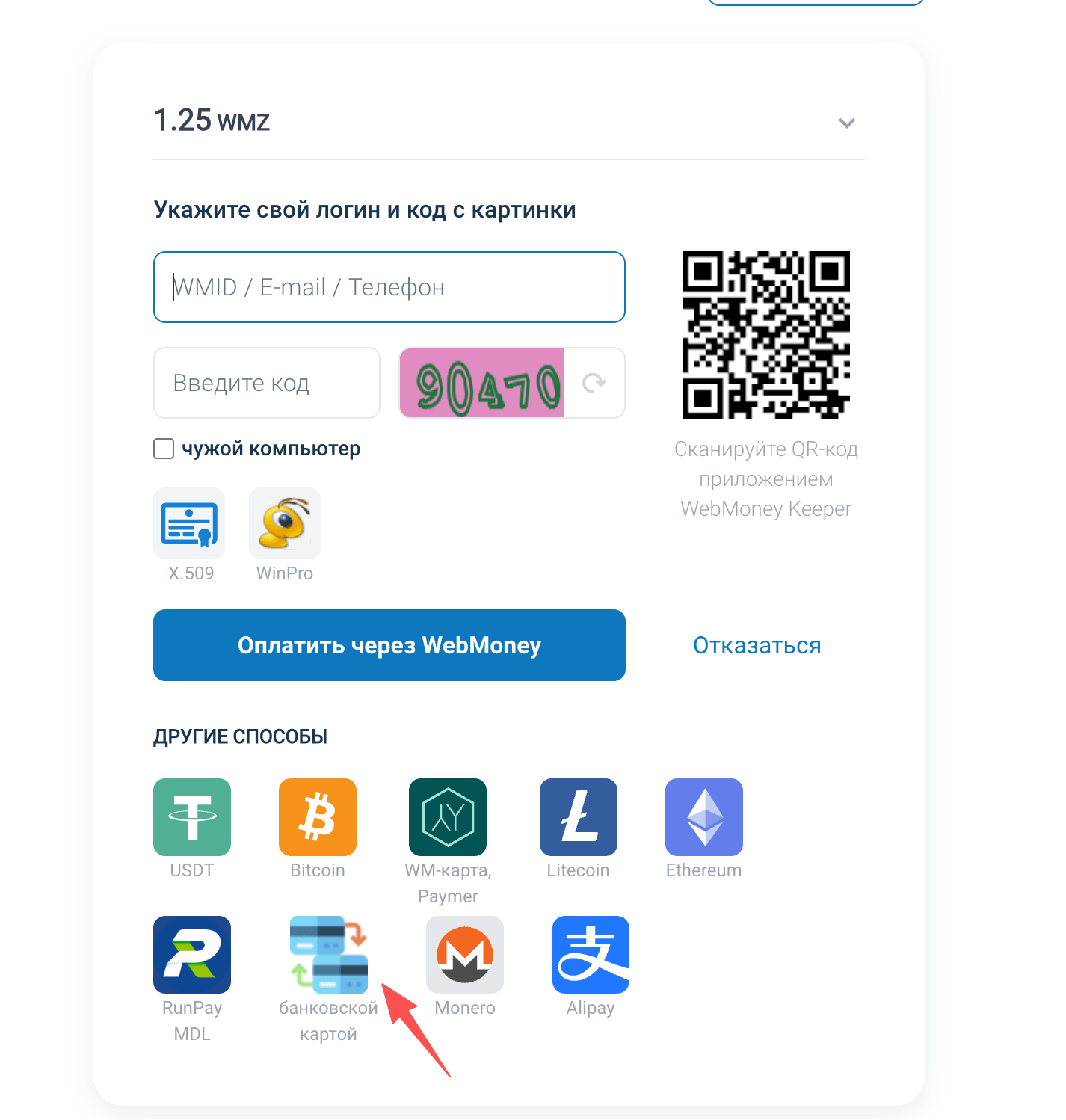
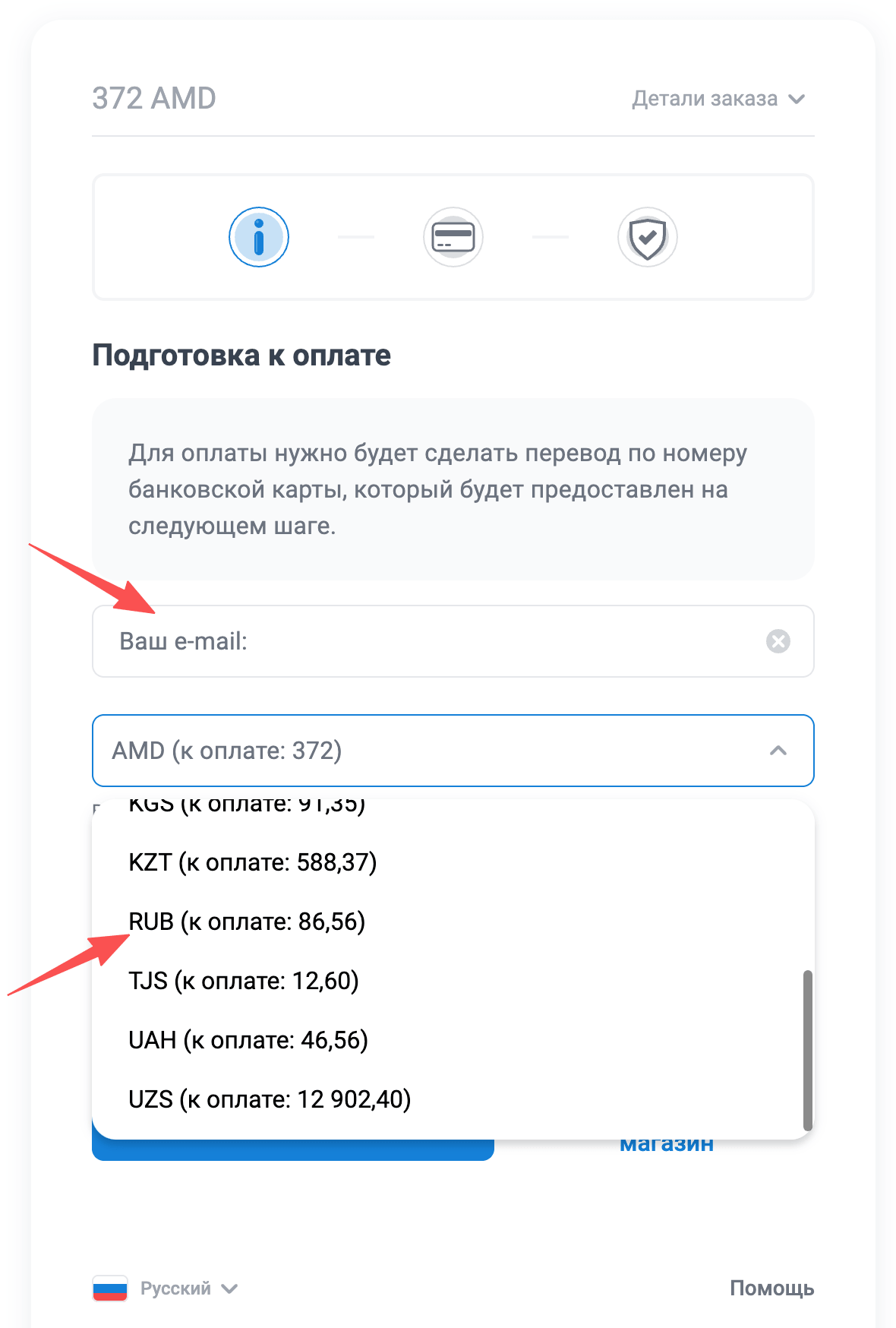
Choose the bank transfer method. Then, in the screen below, enter your email and select the currency: RUB. If you are in another region, you can select the corresponding currency.
After filling in the details, the next step will show a specified local bank account. Here, RUB corresponds to a local Russian account.
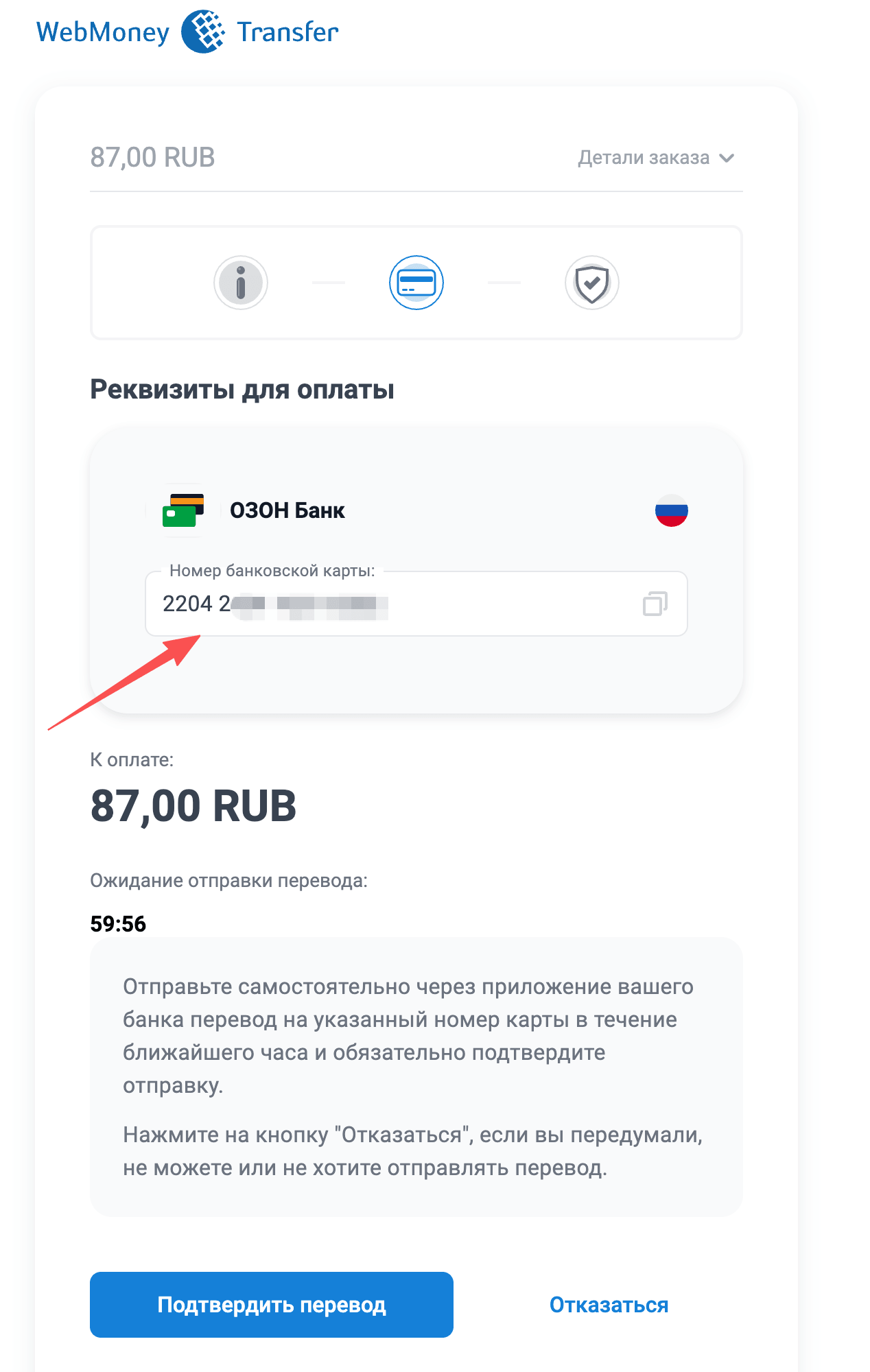
You only need to transfer the corresponding amount of Russian rubles to the specified bank account to complete the payment.